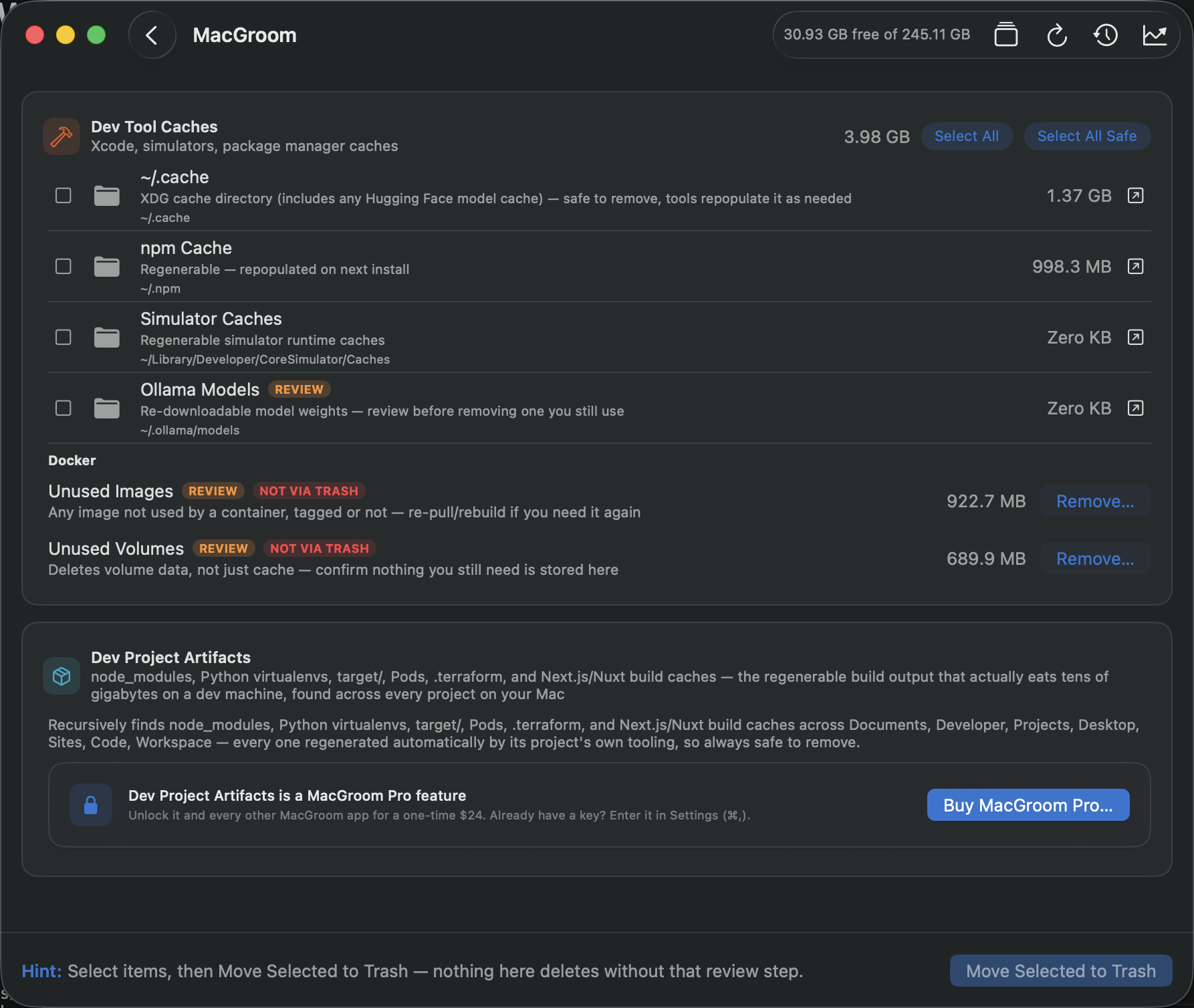
The storage bar in About This Mac is the least useful diagnostic Apple ships. It tells you System Data: 180 GB and offers no way to see what's in it. macOS files anything it doesn't have a neat category for into that bucket, and on a developer's machine that bucket is where almost everything interesting lives.
Here's what's actually in there, in rough order of how much space it tends to take on a machine that writes code.
1. Local AI model weights, the new heavyweight
This category didn't meaningfully exist three years ago and is now routinely the single largest thing on a developer's Mac. The pattern is the same across every tool: pulling a model is one command, and nothing ever cleans up after it.
- Ollama keeps models in
~/.ollama/models. A 7B model quantised to 4-bit is around 4 GB; a 70B is 40 GB.ollama pulltakes seconds to type and there is no garbage collection, so every model you tried once is still there. - LM Studio stores downloads under
~/.lmstudio/models, with the same dynamic and the same absence of cleanup. - Hugging Face caches to
~/.cache/huggingface/hub. Everyfrom_pretrained()call in every notebook you ran pulls weights into a blob store there, and the snapshot/blob/ref layout makes it genuinely hard to tell by eye what's still referenced.
Because these are all dot-directories in your home folder, Finder won't show them, Spotlight won't index them, and the storage bar files them under System Data. It is completely normal to find 60–100 GB here on a machine whose owner has no idea it's there.
2. Xcode, still the reigning champion
Xcode's caches are the oldest known offender and still the most reliable. Three directories do most of the damage:
~/Library/Developer/Xcode/DerivedData— build intermediates, indexes and module caches, one tree per project, never pruned. Entirely regenerable: deleting it costs you one slow rebuild.~/Library/Developer/Xcode/iOS DeviceSupport— symbol files copied off every physical device you've ever plugged in, one directory per iOS build number. A few GB each, and you will never need the ones for iOS versions nobody runs any more.~/Library/Developer/CoreSimulator/Devices— every simulator you've created, each carrying its own runtime data. The runtimes themselves live under~/Library/Developer/CoreSimulator/Caches.
3. Package manager caches nobody prunes
Every package manager keeps a download cache so a reinstall is fast. None of them bound it by default.
- Homebrew —
~/Library/Caches/Homebrew.brew cleanupexists and works; approximately nobody runs it on a schedule. - npm —
~/.npm/_cacache, which grows monotonically across every project you've ever installed. - pip —
~/Library/Caches/pip, including wheels for Python versions you've since uninstalled. - Cargo —
~/.cargo/registry, holding both the compressed crates and their extracted sources.
Then there's node_modules, which isn't a cache at all but behaves like one: a few hundred
megabytes per project, replicated across every project directory you've ever cloned and forgotten.
4. Docker's disk image, which lies about shrinking
Docker Desktop on macOS runs a Linux VM backed by a single sparse disk image
(~/Library/Containers/com.docker.docker/Data/vms/0/data/Docker.raw, path varies by version).
The important and widely misunderstood detail: docker system prune frees space
inside that image, but the image file itself does not shrink on your Mac. You can delete every
container and image you own and watch your free space stay exactly where it was.
Reclaiming it means asking Docker Desktop itself to compact the disk, or deleting and recreating the VM data. Any cleanup tool that reports the space as "freed" after a prune is measuring the wrong thing.
Why the list matters more than the button
Most cleanup apps are built around a single big button. That's the wrong shape for this problem, because the things filling a developer's disk differ enormously in what deleting them costs you:
- Free to delete — DerivedData, package caches, old simulator runtimes. Worst case is one slow rebuild or re-download.
- Expensive to delete — a 40 GB model file is a 40 GB re-download, on whatever connection you have, at whatever moment you next need it.
- Irreplaceable — the stray folder in
~/Downloadsthat turns out to be the only copy of something.
A tool that can't tell those apart shouldn't be deleting on your behalf, and a tool that can tell them apart has no reason to hide the list. The useful design is boring: scan, show every path with its size, let the human decide, and route deletions through the Trash so a mistake is recoverable.
Check it yourself in thirty seconds
None of this needs an app. Paste this into a terminal and you'll get most of the picture:
du -sh ~/.ollama ~/.cache/huggingface ~/.cache/lm-studio 2>/dev/nulldu -sh ~/Library/Developer/Xcode/DerivedData ~/Library/Developer/Xcode/iOS\ DeviceSupport 2>/dev/nulldu -sh ~/Library/Caches/Homebrew ~/.npm/_cacache ~/.cargo/registry 2>/dev/null
If those numbers add up to more than you expected, that's the answer to where System Data went. The only thing an app buys you here is not having to remember the paths, and a safety net when you delete.
MacGroom finds all of this, shows you the list with sizes, and deletes nothing until you say so.
See MacGroom →