MacGroom 1.2.6 — Free tier available now
Find out what's actually filling your Mac.
MacGroom scans for local AI model caches — Ollama, LM Studio, Hugging Face — plus regenerable caches, developer-tool clutter, forgotten downloads, and orphaned app leftovers, then shows you the exact list, with sizes, before anything moves. Nothing is deleted on a guess.
Runs 100% locally — nothing you scan or clean is ever uploaded anywhere. Free to use, no trial timer; MacGroom Pro is a one-time $24 that unlocks three extra features on top.
● Free, no account, no trial timer — notarized by Apple, macOS 13+, Apple Silicon & Intel.
Why MacGroom exists
Mac cleaners got worse while disks got fuller
Ollama, LM Studio, Hugging Face — nobody cleans up after them
Each tool keeps its own copy of the same model weights. MacGroom finds all three — Ollama and LM Studio are flagged for your review, and Hugging Face's cache is cleared with the rest of your regenerable dev-tool caches.
A subscription for a once-a-quarter job
Most "Mac cleaner" apps bill monthly or yearly for something you run a few times a year. MacGroom is $24, once — or free forever if Pro isn't worth it to you.
Cloud scanning, murky privacy
Several popular cleaners route "smart" scanning or diagnostics through a server somewhere. MacGroom never leaves your Mac — every command it runs is local and reviewable.
Generic tools miss developer clutter
node_modules, Python virtualenvs, Xcode DerivedData, Docker images — most cleaners never look for any of it. MacGroom does, by design.
"Auto-clean" that deletes first
Some tools optimize for one click and hope nothing important was in there. MacGroom shows the exact list with sizes before anything moves, and everything goes through Trash — recoverable.
No way to say "never touch this folder"
Most cleaners re-flag a folder you know is fine, every single scan. MacGroom has an exclude option: set it once in Settings and it's never scanned or suggested again.
Why one-time, not a subscription
See it running
Every screen, explained — click around
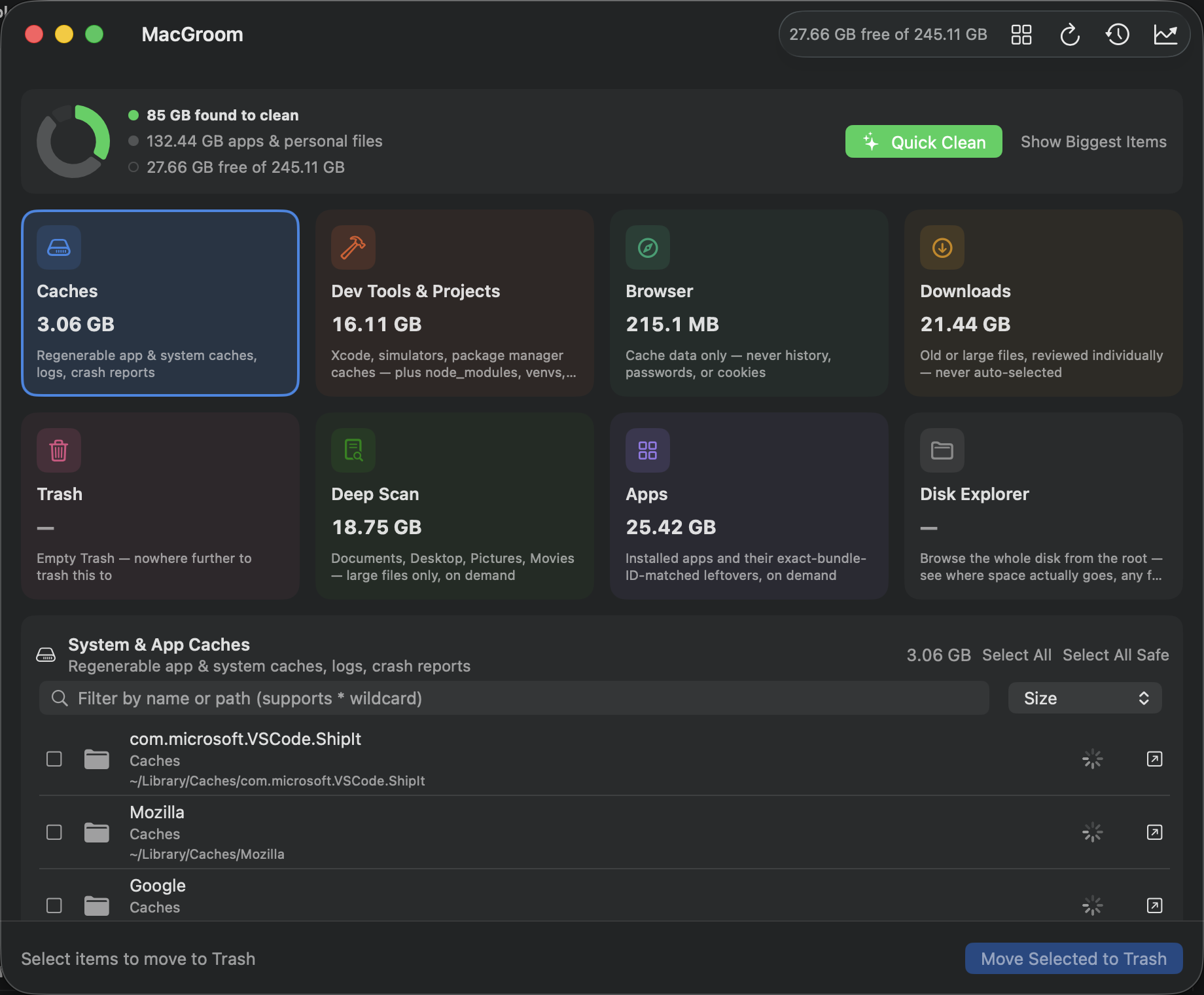
Five real screens from the app running today, free features and MacGroom Pro features both included — no guessing what you'd actually get.
Every category, one screen
Nothing is selected or deleted until you review it yourself — scanning and deleting are always separate, explicit steps.
- Caches — regenerable app & system caches, logs, crash reports
- Browser — cache data only, never history, passwords, or cookies
- Downloads — old or large files, reviewed individually, never auto-selected
- Trash — empty it in one click, nowhere further to trash to
- Apps — installed apps + their exact bundle-ID-matched leftovers
- Disk Explorer — browse the whole disk from the root, ncdu-style
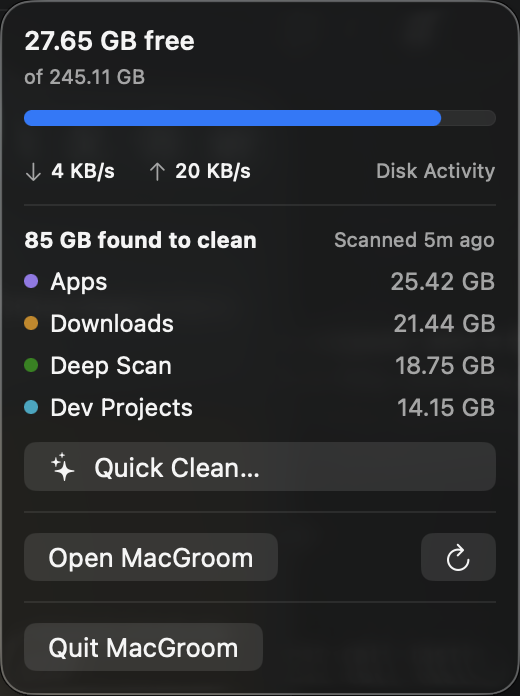
Free space, without opening the app
Live disk read/write throughput, a breakdown of what's found to clean, and one-click Quick Clean and Empty Trash — all from the menu bar, updating only while the popover is actually open.
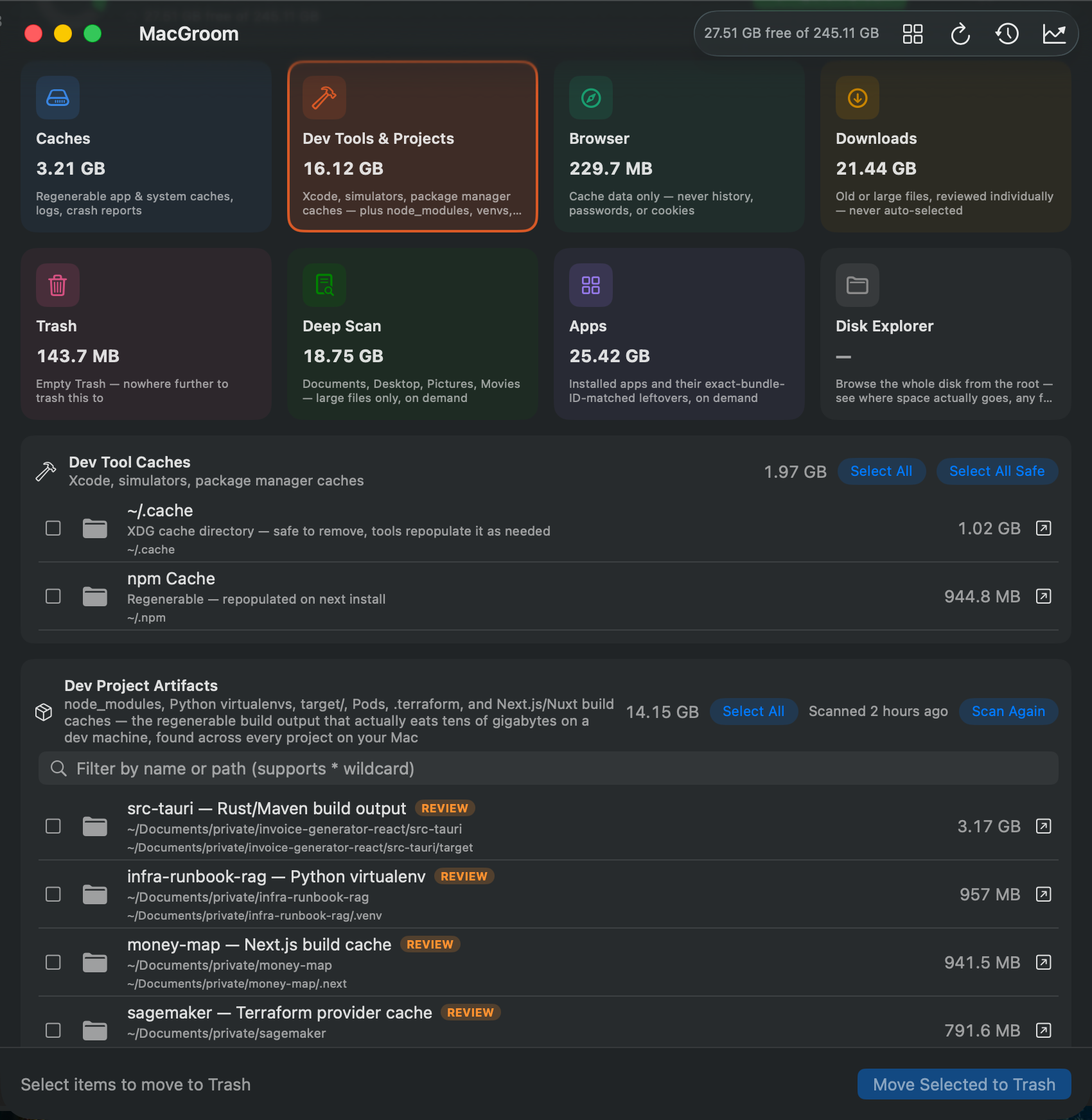
Two tiers, one tile
Built for how developer machines actually fill up — the free tier clears tool caches, including local AI model weights, the Pro tier hunts down every regenerable project artifact you forgot about.
- AI Model Caches — Ollama & LM Studio model weights are always flagged for review since you might still be using one; Hugging Face's cache is cleared along with the rest of your regenerable dev-tool caches
- Dev Tool Caches — Xcode & simulator caches, plus Homebrew, Docker, npm, Yarn, pnpm, pip, Poetry, and Cargo caches
- Dev Project Artifacts PRO — recursively finds node_modules, Python virtualenvs, target/, Pods, .terraform, and Next.js/Nuxt build caches across every project on your Mac
- Scans every project folder on your Mac, not just one — the stuff that actually eats tens of gigabytes on a dev machine
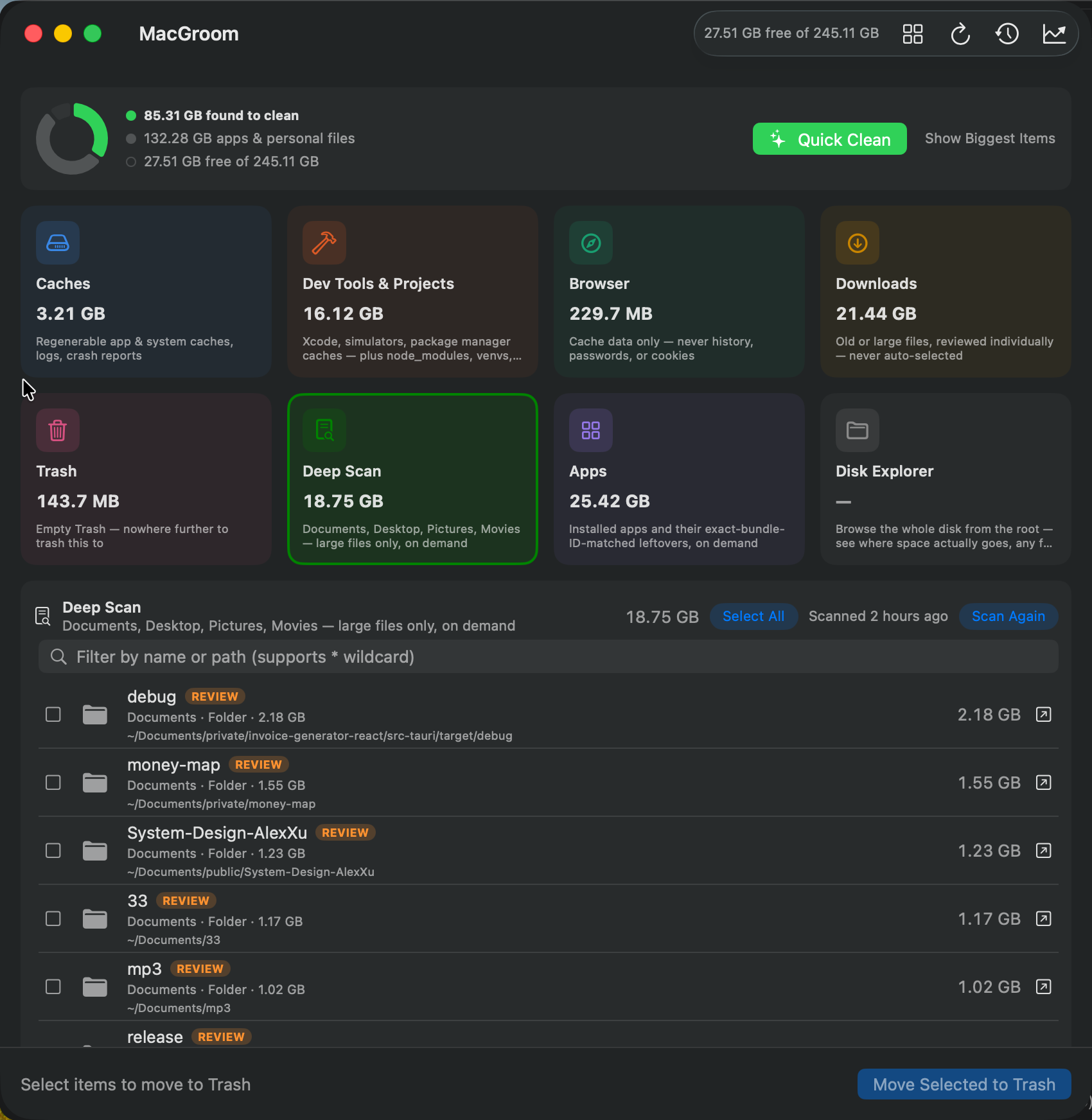
Finds what you forgot was there PRO
Recursively looks through Documents, Desktop, Pictures, and Movies for individual files and whole folders above a size threshold — no age check, since an old file in these folders is often one you meant to keep.
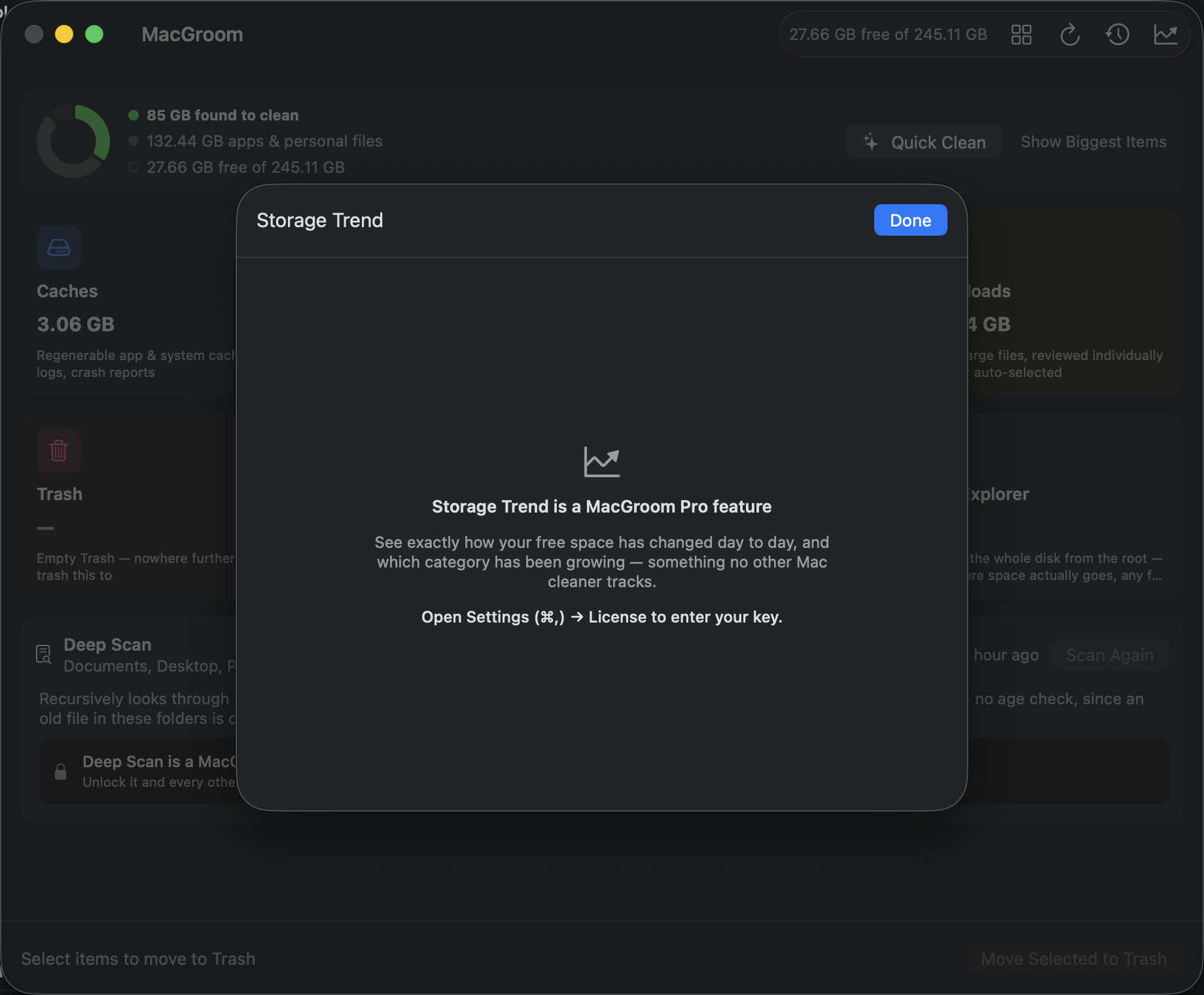
See what's actually growing PRO
Tracks how your free space changes day to day, and which category has been growing — something no other Mac cleaner tracks. One snapshot a day, whenever MacGroom is open.
How it works
Try it free. Pay once, if it's worth it.
1
Use the free tier
Caches, Downloads, Trash, Browser caches, Dev Tool caches, and App Cleaner all do real, useful work for free — no trial timer, no nagging to upgrade.
2
Decide if Pro is worth it
Deep Scan, Dev Project Artifacts, and Storage Trend are the only things MacGroom Pro adds — never anything that touches privacy or what's free today.
3
One purchase, done
A single $24 license unlocks Pro for good, with free updates for as long as MacGroom is maintained.
Pricing
Free forever, or unlock Pro
Free
$0
No trial timer, no nagging — works fully, forever
- Caches, Downloads, Trash & Browser cache cleanup
- Dev Tool Caches — Xcode, Homebrew, Docker, npm, pip, Cargo & more
- App Cleaner — remove installed apps + their leftovers
- Menu bar widget — free space & live disk activity
- Works on any Mac, no account required
MacGroom Pro
$24 one-time
Introductory price — subject to change
- Everything in Free, plus:
- Unlocks Deep Scan, Dev Project Artifacts, and Storage Trend
- One license, up to 3 Macs
- Free updates for life — no renewal, ever
- Nothing you do is ever uploaded or tracked
The free tier is available today and stays fully functional forever, on any Mac — Pro just adds three power features on top. Unlocking Pro after purchase is just entering your license key in Settings — the app you already downloaded is the same build, so there's nothing to reinstall.
FAQ
Questions people actually ask
How do I install it?
Download the DMG, open it, and drag MacGroom to Applications — no account, no installer, no license key. It's signed with a Developer ID and notarized by Apple, so it opens normally: no Gatekeeper warning and no right-click-to-open workaround. On first run, macOS will ask for Full Disk Access (needed for accurate results and to read ~/.Trash) — grant it in System Settings, then relaunch MacGroom. Requires macOS 13 or later; the download is universal, so it runs natively on both Apple Silicon and Intel.
When can I buy MacGroom Pro?
Now — Pro is on sale at the $24 introductory price. Buy a license from the pricing section above, then unlock it by entering the key you're emailed into Settings; the app you already have installed is the same build, so there's nothing to reinstall or migrate. The free tier stays available and isn't a trial: it doesn't expire or nag either way.
Does MacGroom send any of my data anywhere?
No. Scanning, sizing, and deleting all happen with local commands you can read the source of — nothing about what's on your disk, what you clean, or how you use the app is ever uploaded, logged remotely, or shared. MacGroom does make a couple of narrow network calls unrelated to your files: a version check against gogenops.com at every launch (so it can tell you when an update's available, sending only your app and macOS version) and, if you've entered a MacGroom Pro key, a license re-check against Polar.sh at every launch (which does send that key, to Polar only, to confirm it's still valid — never anything about your disk).
Does MacGroom clean up Ollama, LM Studio, or Hugging Face model caches?
Yes — all three, free. Each keeps its own separate copy of the same model weights, and none of them ever clean up after themselves, so comparing even a handful of local models routinely means 50–150GB of duplicate, forgotten checkpoints. MacGroom finds them under Dev Tools & Projects: Ollama and LM Studio models are always flagged for review rather than swept in automatically, since they're re-downloadable but you might still be using one; Hugging Face's cache is cleared along with your other regenerable dev-tool caches.
Is the free version actually free forever, or a trial?
Free forever, no trial timer, no nagging. Caches, Downloads, Trash, Browser caches, Dev Tool caches, and the App Cleaner (find-and-remove installed apps + their leftovers) all work fully for free, indefinitely, on any Mac. MacGroom Pro unlocks three specific power features on top — it doesn't cripple or time-limit anything that's free today.
What does MacGroom Pro actually unlock?
Three features: Deep Scan (finds large files and folders across Documents, Desktop, Pictures, and Movies), Dev Project Artifacts (recursively finds node_modules, Python virtualenvs, target/, Pods, and other regenerable build output across every project on your Mac), and Storage Trend (tracks how your free space changes day to day, and which category is growing). One $24 license unlocks all three, on up to 3 Macs.
Is this a subscription?
No. $24 once, ever — not a monthly or yearly fee. It unlocks Deep Scan, Dev Project Artifacts, and Storage Trend for good, with free updates for as long as the app is maintained.
Can something get permanently deleted by mistake?
Almost never by design. Every deletion goes through macOS's own Trash — recoverable until you empty it — and you always review individual items with their sizes before anything moves; scanning alone never deletes anything. The one exception is emptying Trash itself, which is clearly badged as permanent with its own separate confirmation, since there's nowhere further to trash Trash's own contents to.
Does it need admin or root access?
No. Every path MacGroom touches is under your home directory or a user-owned tool cache (Homebrew, Docker, npm, etc.) — nothing requires elevated privileges. macOS's Full Disk Access permission is requested for accurate results and to reach ~/.Trash, same as Finder itself needs.
Which Macs does it support?
macOS 13 (Ventura) and later, on both Apple Silicon and Intel — it ships as a universal binary. It's a native SwiftUI app with zero third-party dependencies, not an Electron wrapper.
I lost my license key — how do I get it back?
Check your inbox for the receipt email from Polar.sh, sent the moment you bought MacGroom Pro — it has a link to Polar's customer portal, where your key is always available to view again. Can't find that email either? Use the contact form below with the email you paid with and we'll look it up.
How do I report a bug or request a feature?
Open an issue on the public GitHub support repo — bug reports and feature requests both have a quick template. You can also use the contact form below.
Is the app's source code open?
Not currently — MacGroom is closed-source. The GitHub repo is for issues and release notes, not app source. If you want something open, though — see the next question.
Is there a command-line version?
Yes — macgroom-cli is a free, open-source (MIT) terminal tool covering the same Dev Tool Caches and Dev Project Artifacts categories that are free in the app: `brew install soodrajesh/tap/macgroom`, then `macgroom scan` or `macgroom clean`. Same safety model — Trash, not rm, and AI model weights are always flagged for review, never swept in by --yes alone. It's an independent, from-scratch reimplementation of the scan logic, not a wrapper around the app. Full walkthrough on the blog →
How will updates work?
MacGroom checks for updates automatically at launch, and on demand from Settings — no account, no background service. When a new version is available, you'll see what's new and a link to get it; nothing installs silently without you choosing to. Release notes are announced on the GitHub repo.
Start with the free tier — it's the whole app
Download it now, no account and no trial timer. If you want Deep Scan, Dev Project Artifacts, and Storage Trend, MacGroom Pro is a $24 one-time license — same app, just a key.