Most Mac cleanup apps ask you to trust a "clean now" button. MacGroom doesn't work that way: scanning and deleting are always two separate, explicit steps, and nothing is selected for you. This is a walk through what it actually finds, screen by screen, and where the free tier ends and Pro begins.
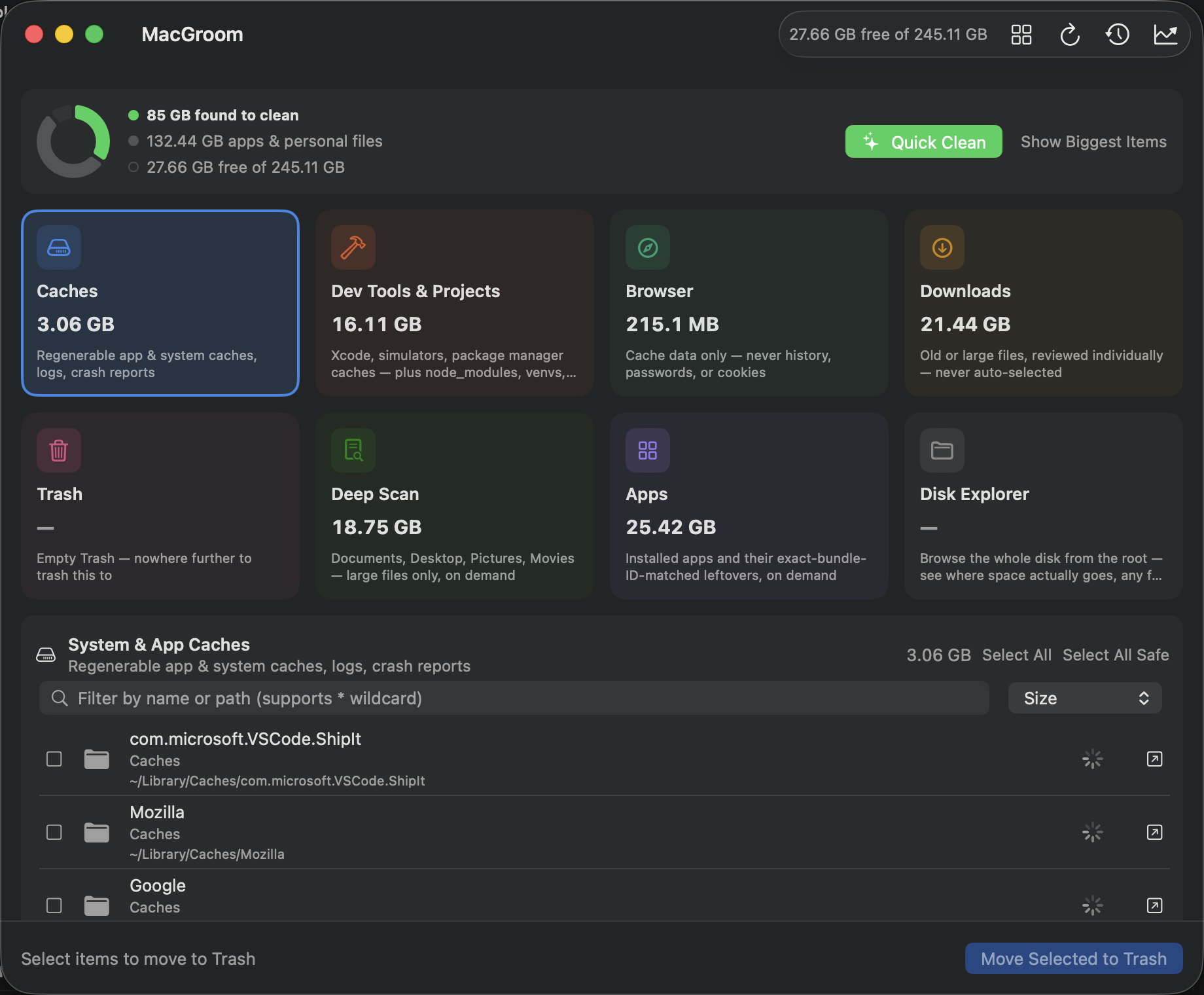
What it actually scans
Six categories are free, on any Mac, no account required:
- Caches — regenerable app and system caches, logs, crash reports
- Browser — cache data only, never history, passwords, or cookies
- Downloads — old or large files, reviewed individually, never auto-selected
- Trash — empty it in one click, nowhere further to trash to
- Apps — installed apps plus their exact bundle-ID-matched leftovers
- Disk Explorer — browse the whole disk from the root, ncdu-style
Where the space actually goes on a dev machine
This is the part most Mac cleaners miss entirely, and it's the free tier's real reason to exist:
- AI Model Caches — Ollama and LM Studio model weights get flagged for review, not auto-deleted, since you might still be using one; Hugging Face's cache is cleared along with the rest of the regenerable dev-tool caches. Between the three, they're often the single fastest-growing space hog on a 2026 Mac that nobody thinks to check.
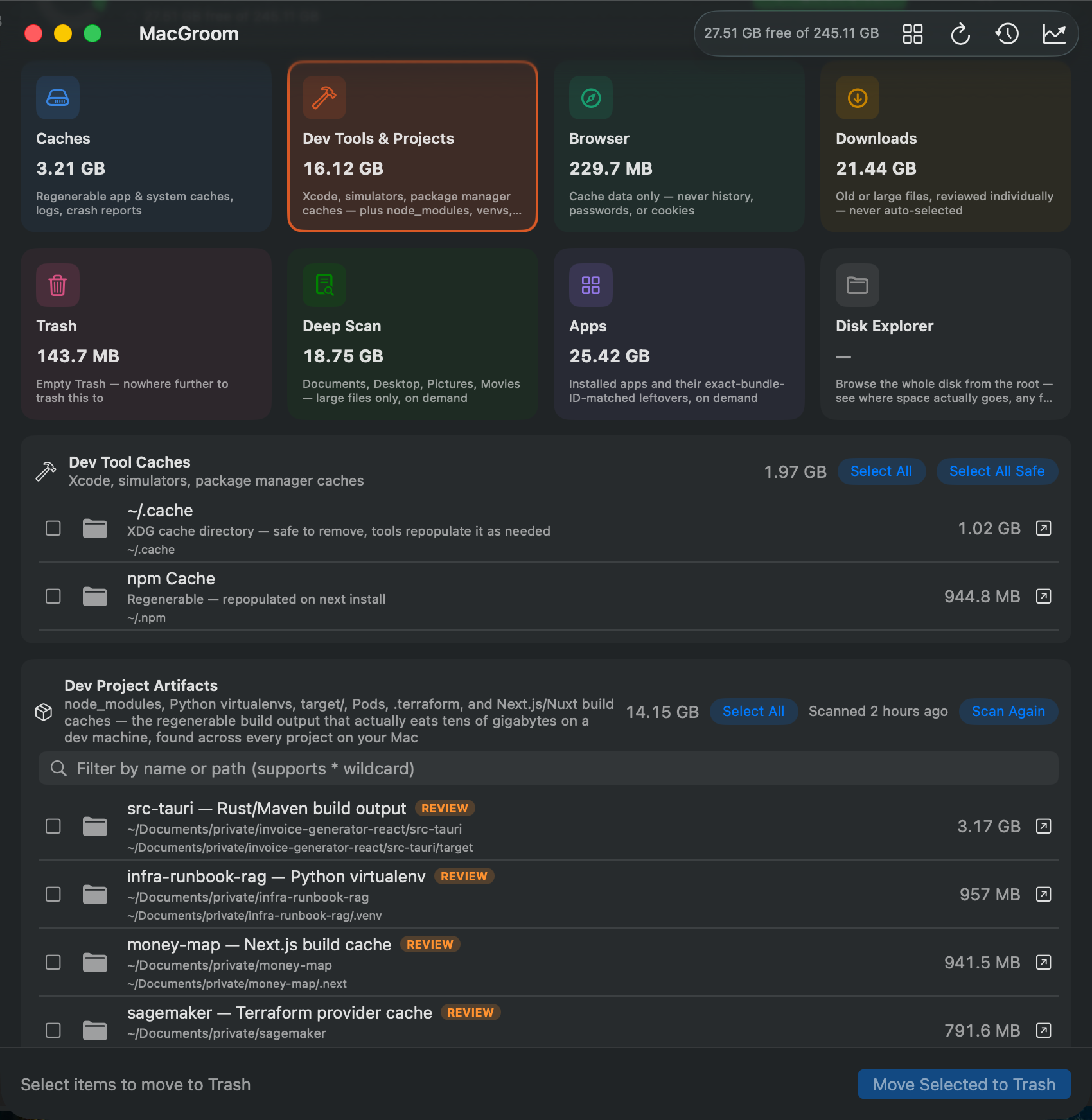
- Dev Tool Caches — Xcode and simulator caches, plus Homebrew, Docker, npm, Yarn, pnpm, pip, Poetry, and Cargo caches.
- Dev Project Artifacts (Pro) — recursively finds
node_modules, Python virtualenvs,target/, Pods,.terraform, and Next.js/Nuxt build caches across every project folder on the whole Mac, not just one you point it at.
Deep Scan and Storage Trend (Pro)
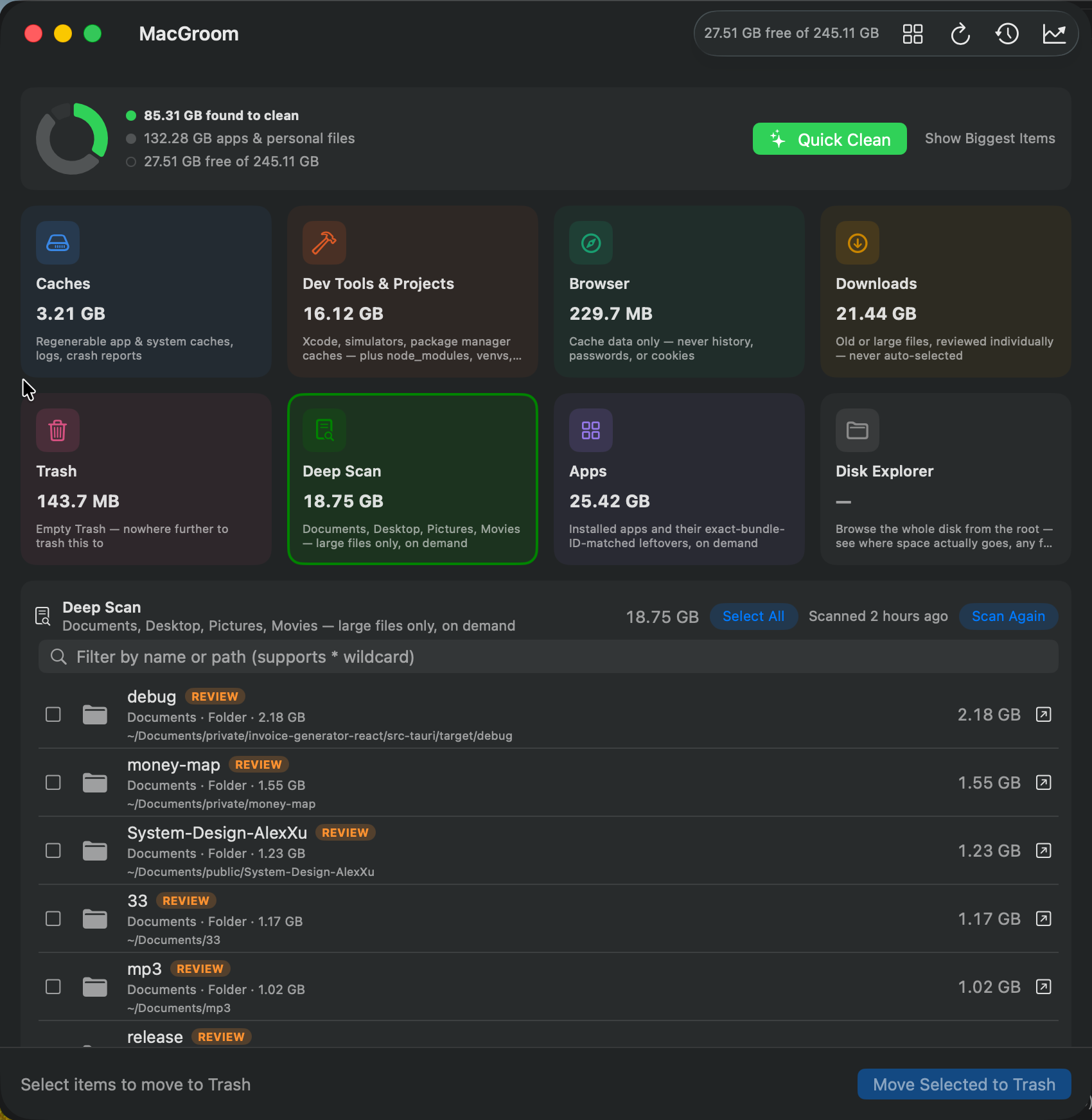
Deep Scan recursively looks through Documents, Desktop, Pictures, and Movies for individual files and whole folders above a size threshold. There's deliberately no age check — an old file in these folders is often exactly the one you meant to keep, so age alone isn't treated as a signal to delete.
Storage Trend tracks how free space changes day to day, and which category has been growing — something no other Mac cleaner tracks. One snapshot a day, whenever MacGroom happens to be open, builds a picture of whether last week's cleanup actually held.
The menu bar widget
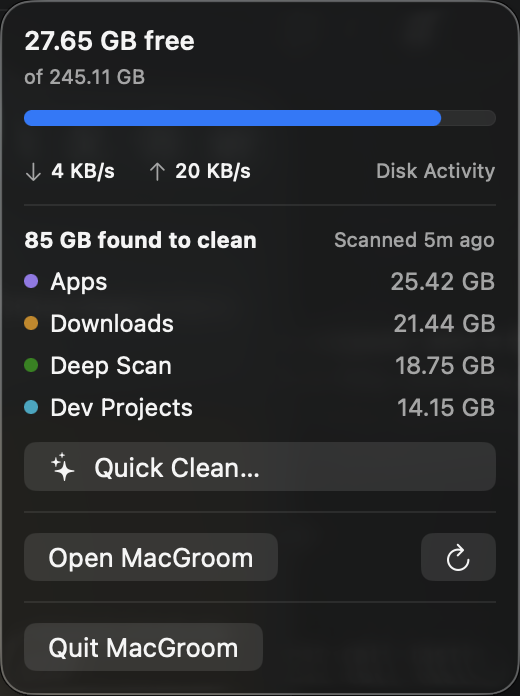
Live disk read/write throughput, a breakdown of what's been found to clean, and one-click Quick Clean and Empty Trash — all from the menu bar, updating only while the popover is actually open, so it isn't a background process quietly consuming CPU all day.
Pricing
| Tier | Price | What's included |
|---|---|---|
| Free | $0, forever | Caches, Downloads, Trash & Browser cleanup; Dev Tool Caches; App Cleaner; menu bar widget — fully functional, no trial timer, no nagging |
| MacGroom Pro | $24 one-time | Everything in Free, plus Deep Scan, Dev Project Artifacts, and Storage Trend — one license for every Mac you use, free updates for life, no renewal ever |
Nothing you scan, find, or clean in MacGroom is ever uploaded or tracked — that work all happens with local commands, which matters more than usual for a tool that's specifically looking at what's on your disk. (MacGroom does make two narrow network calls unrelated to any of that: an update check at launch, and — if you've bought Pro — a license re-check at launch, neither of which ever touches anything about your files.)
The actual design principle
Scanning and deleting are always separate, explicit steps. Nothing is pre-selected. That's slower than a one-click "optimize" button, on purpose — the entire reason to trust a tool like this with your disk is that it never surprises you.
See all five screens running, free and Pro both — no guessing what you'd actually get before you install it.
📢 Have questions or feedback? Drop a comment below or connect with me on Twitter/X@spysood!