MacFilter 0.2 — free, early release
Checks what you paste into AI tools, before it leaves your Mac.
Press ⌘V into Claude, ChatGPT, Cursor, Copilot, or an AI site in your browser. If the clipboard contains credentials, payment details, or personal data, the paste is stopped and you choose: redact, paste anyway, or cancel.
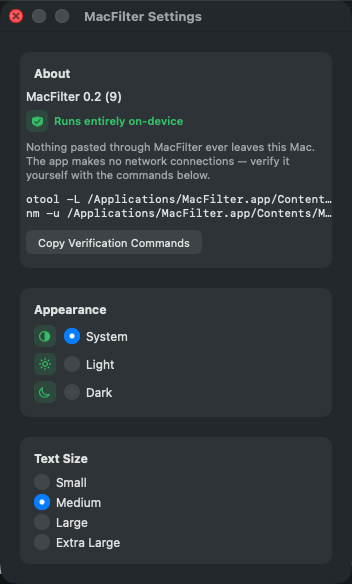
MacFilter makes no network connections — not for telemetry, not for detection, not for updates. Detection runs entirely on-device, and that's verifiable with otool/nm, not just a claim — see the FAQ below.
● Free, no account — macOS 13+, Apple Silicon & Intel.
Verified, not staged
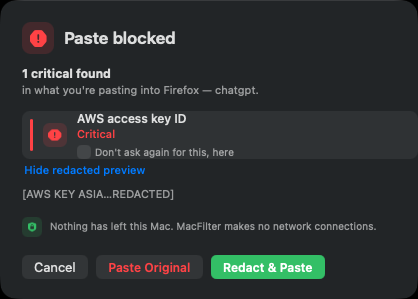
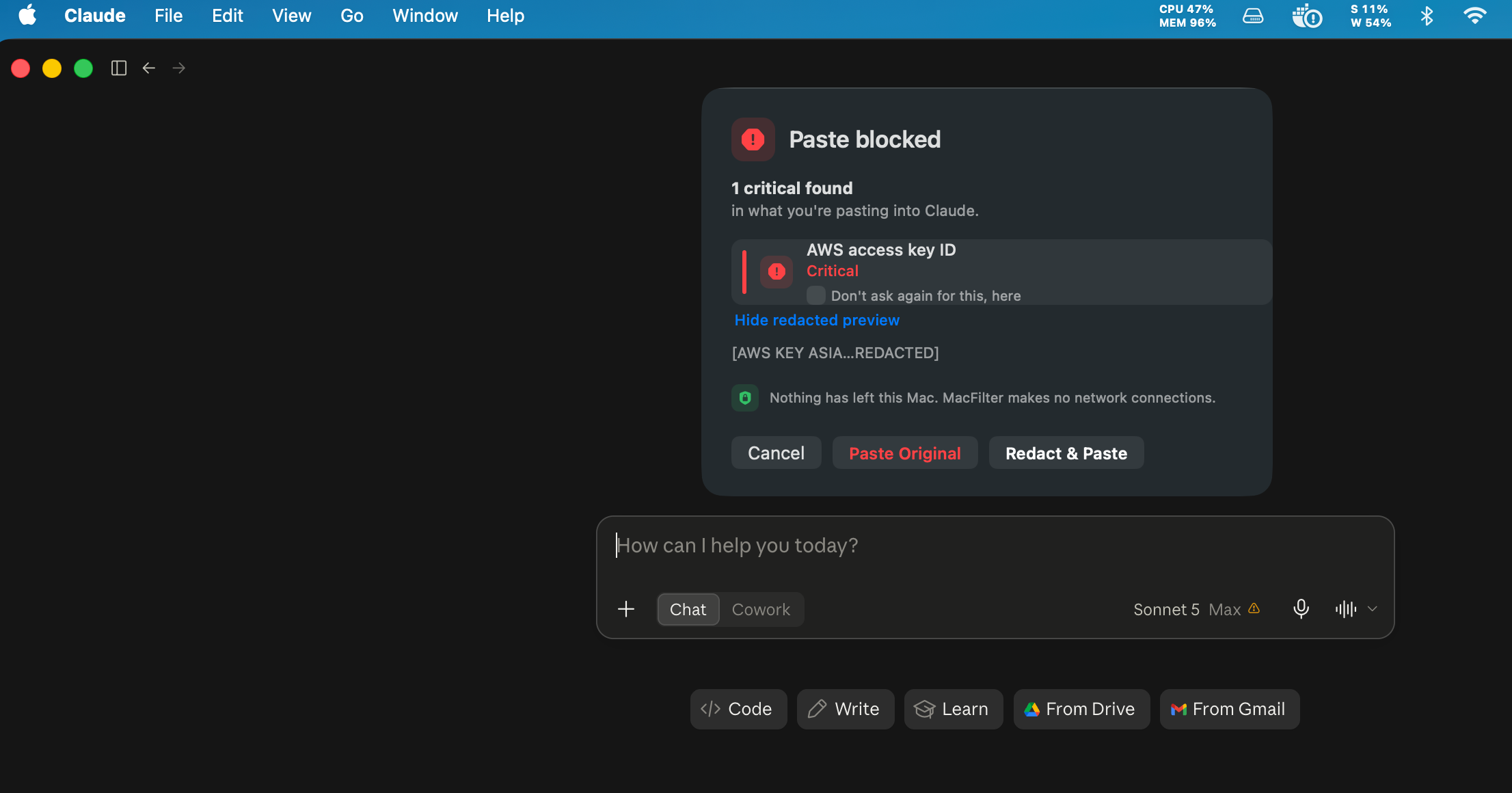
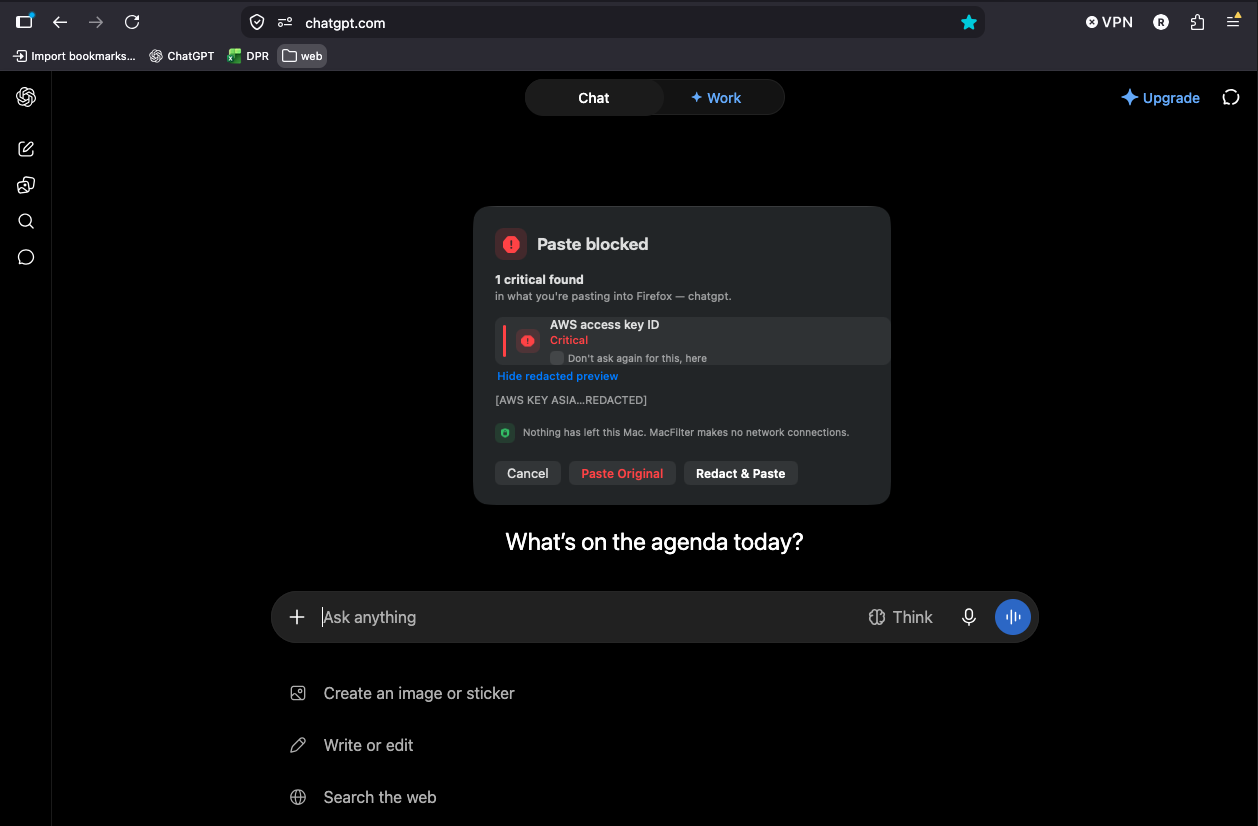
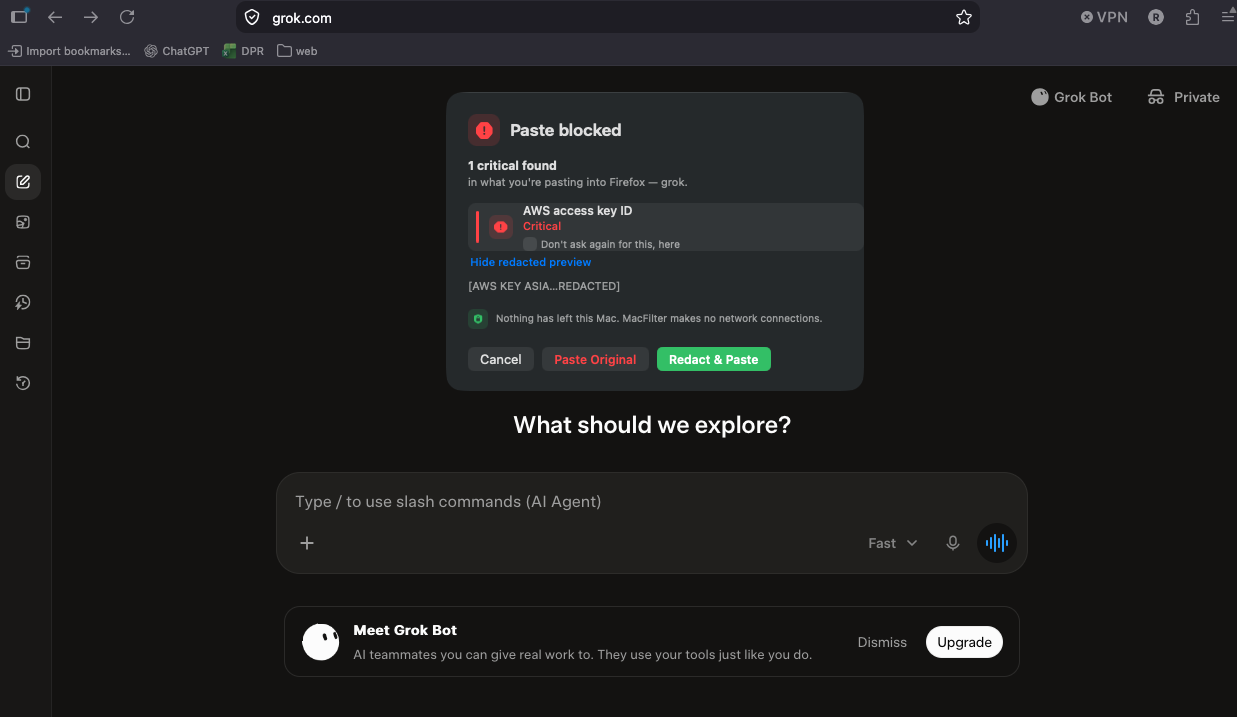
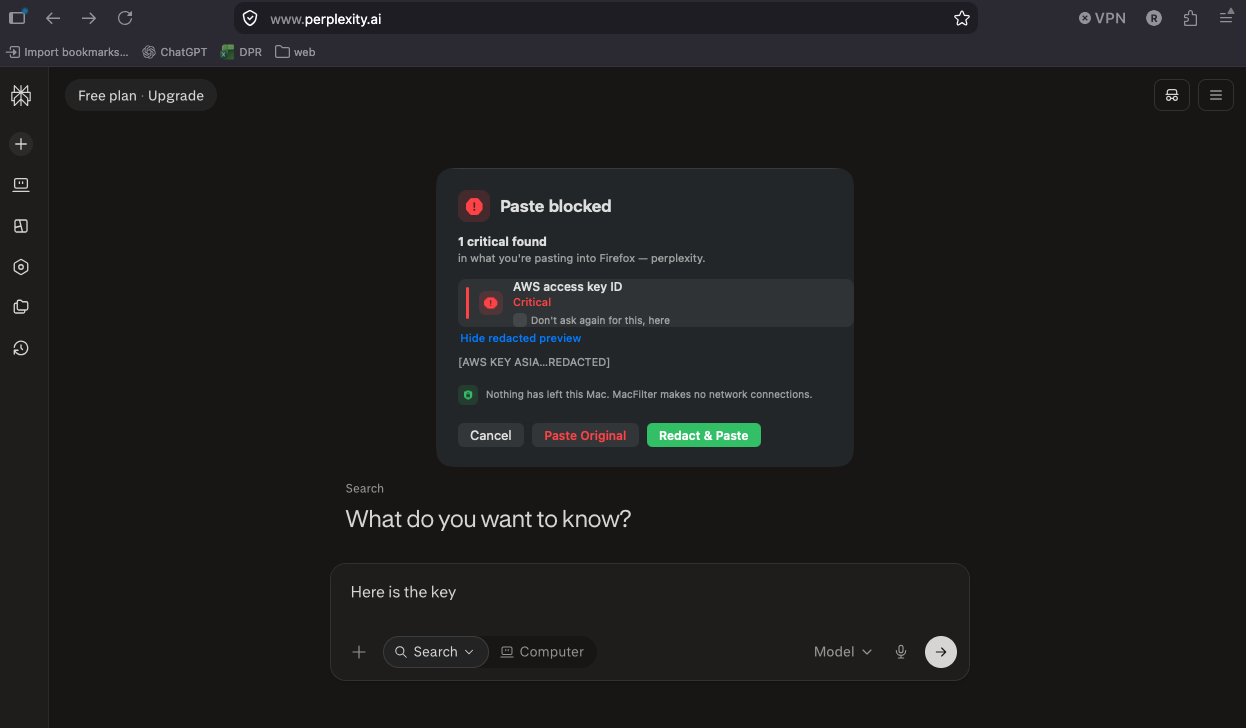
The same AWS key, caught going into four different AI destinations
One clipboard, one live-looking AWS access key, pasted with ⌘V into four separate real destinations — the native Claude app, and ChatGPT, Grok, and Perplexity in the browser. Same detector, same panel, same "nothing has left this Mac," every time.
Why MacFilter exists
Every product that solves this routes your data through a vendor's cloud
No networking framework is even linked
otool -L and nm -u against the built binary both come back empty for any networking symbol — the app links AppKit, CoreGraphics, ApplicationServices, IOKit and Foundation, nothing more.
Almost all the time, MacFilter does nothing at all
It only looks at a paste when the frontmost app is a recognised AI surface AND the clipboard matches a detector — Mail, Slack, a code editor, a terminal are never touched.
A card number, IBAN or PPSN must pass its real checksum
Luhn for cards, mod-97 for IBANs, a real check-character algorithm for Irish PPSNs — a 16-digit order reference is not flagged as a card number.
The default action fixes the paste, not just flags it
Redact & Paste (the default, ⏎) sends a cleaned version with sensitive spans replaced, then restores your original clipboard right after.
What to expect
See what it does
Every feature, explained — click around
What MacFilter actually catches today, and how the panel works when it does.
Checksum-validated, not pattern-guessed
The checksums are the point — flagging a 16-digit order reference as a card number trains people to click through warnings, which is the failure mode that kills tools in this category. The Irish PPSN detector is deliberate: it's the most sensitive identifier in Irish payroll/health data, and no US-built DLP tool ships it.
- Critical — private key blocks, AWS/Anthropic/OpenAI/GitHub/Slack/Google keys, JWTs, password/api_key assignments
- High — IBAN (mod-97 checksum), payment cards (Luhn), Irish PPSN (check-character algorithm)
- Medium — email addresses, Irish mobile numbers
Three choices, every time something's flagged
Every decision is logged locally — never the pasted text itself, just what kind of thing was found and what you chose.
- Redact & Paste (default, ⏎) — sends a cleaned version, then restores your real clipboard
- Paste Original — for false positives (a long invoice number, a password: in a paragraph about passwords)
- Cancel (Esc) — nothing is pasted
Only arms for a recognised AI surface
Pasting into Mail, Slack, a code editor, or a terminal is never touched — there's no ongoing scan and no background clipboard history.
- Native bundle-ID allowlist: Claude, ChatGPT, Cursor, Copilot
- Browsers: the focused window's title only — never page content
- ⌘⇧V is left alone so ClipKeep/MacShelf's paste picker still works
How it works
How it works
1
Grant two permissions
Input Monitoring lets the event tap see ⌘V; Accessibility lets it suppress the paste and read a browser tab's title. It stays inactive until both are granted.
2
Paste as normal
MacFilter only looks when the frontmost app is a recognised AI surface — everything else is untouched.
3
Choose, if flagged
Redact & Paste, Paste Original, or Cancel — nothing happens silently.
FAQ
Questions people actually ask
How do I install it?
./setup-signing.sh once (creates a stable local signing identity so grants survive rebuilds), then ./build.sh, then open MacFilter.app. Requires macOS 13+.
Is MacFilter signed and notarized?
Yes — the released DMG is signed with a Developer ID and notarized by Apple, and Gatekeeper accepts it (spctl -a -vv MacFilter.app returns "accepted, source=Notarized Developer ID"). setup-signing.sh is a separate, local-only step that keeps TCC grants stable across rebuilds on the developer's own machine — it doesn't affect what ships.
Why is it free with no Pro tier?
Live interception is now verified end-to-end, but only against the developer's own manual testing (see the status callout above) — it hasn't had real users behind it yet. Charging for something without real-world usage data behind it would be premature. Monetization is a deliberately deferred later pass, not an oversight.
Does MacFilter really make no network connections?
Yes — verifiable, not a promise. otool -L MacFilter.app/Contents/MacOS/MacFilter | grep -i -E "network|cfnetwork" and nm -u ... | grep -i -E "URLSession|socket|getaddrinfo" both return nothing on the built binary.
What does it not catch yet?
Screenshots, drag-and-drop, right-click → Paste, and terminal-based AI agents (a key pasted into a CLI coding agent currently goes straight through unchecked) — see the README's Known Gaps section for the full, honest list.
Which Macs does it support?
macOS 13+. No dependencies, no package manager, no Xcode project — just swiftc.
How do I report a bug or request a feature?
Open an issue on the GitHub repo, or use the contact form below.
Try it — it's free
Download it now, no account needed. It's an early release — live interception is proven end-to-end, but not yet by real-world usage at scale. See the status callout above for what's proven and what isn't yet.